LockIN launches on Kickstarter
LockIN by One Thing Club: One task. Full focus. Real progress.
A desk system that turns an overflowing to-do list into one clear task you can see, time and finish.
How LockIN helps
-
1Prioritisation
Staring at a long to-do list with no idea where to start?
Know what matters first.
Sort your tasks by urgency and importance. The decision matrix helps you see what deserves your attention and what can wait.
-
2Digital distractions
Can't stop checking your phone?
Tap in. Tune out.
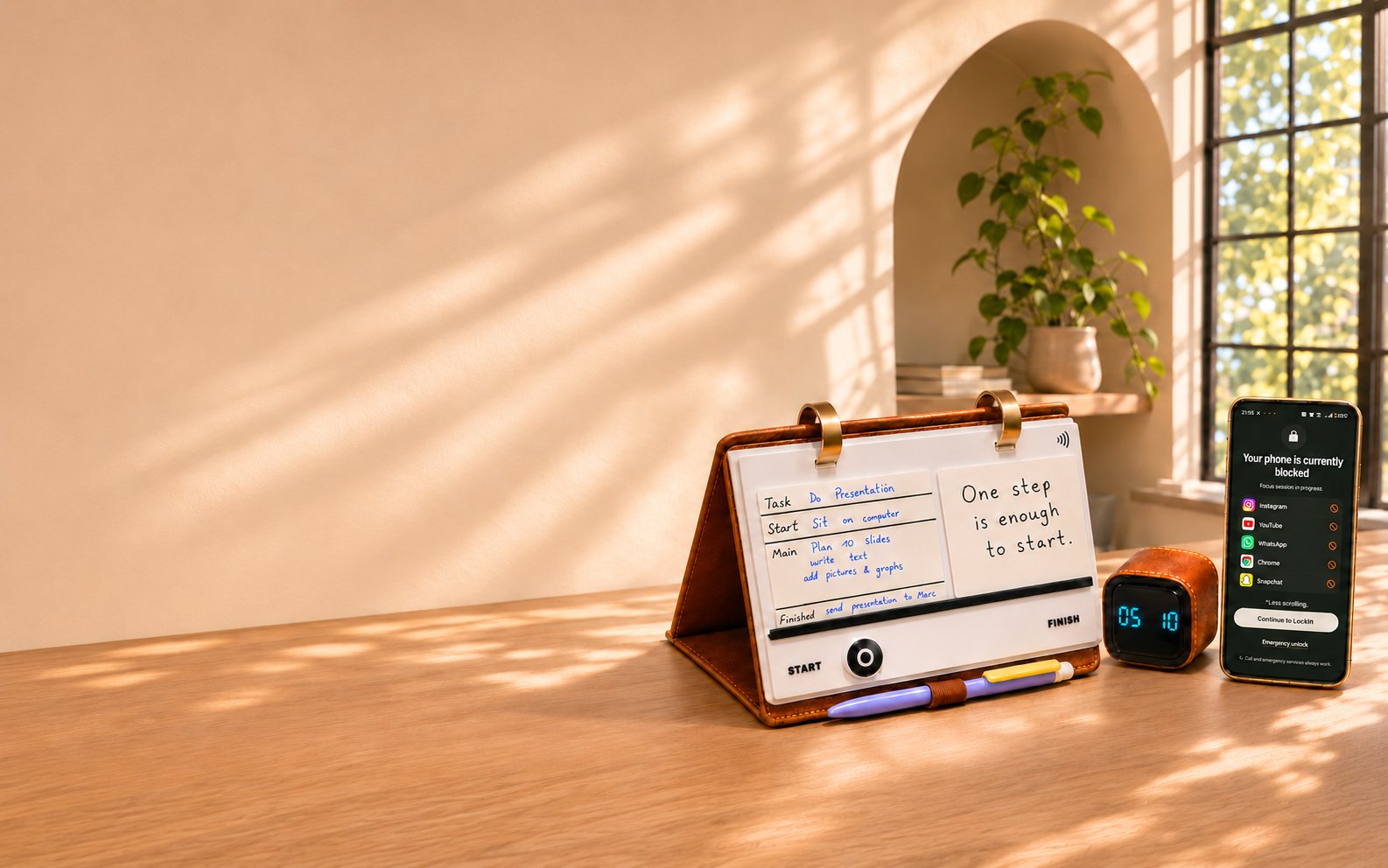
Tap your phone on LockIN to block the distracting apps you choose. Your focus session starts, and your scrolling can wait.
-
3Maintaining focus
Losing focus halfway through a task?
Work in sprints, not marathons.
Turn the cube for 30 minutes of focused work, then flip it for a 10-minute break. A simple rhythm to help you stay on track without burning out.
-
4Overwhelm and progress
Feeling buried under everything you have to do?
One card. One task. One win.
Keep one task in front of you while everything else waits. Track your progress with the slider, then flip your completed card and remember why you started.


About us
Why we’re building LockIN
There are six of us behind LockIN, and we each get stuck in a slightly different way. Maybe one of these sounds familiar.
-

Ruben Spranz
Snacks sorted. Priorities pending.
Ruben knows everyone’s favourite snack, but give him ten tasks that all feel urgent and he’ll stare at the list until his Monster goes warm. He wanted to open the folio, pick one thing that matters and finally know where to start.
-

Vera Rubio
That’s a project, Vera
Vera will happily settle in with her laptop and tea from Argentina, then find she’s written “make the film” as a single to-do. She wanted a way to turn that into something she could actually do before her tea went cold, like writing the opening line.
-

Samantha L Kesh
A week’s work by Tuesday
Sam swears everything comes down to zeros and ones, yet somehow seven priorities fit into one Monday. She wanted the little ritual of moving the slider to “Finish” so she could enjoy a win before charging into the next task.
-

Saarthak Gupta
One quick game
Saarthak sits down to build the website, but the pool room is nearby and “one quick game” is a famously unreliable unit of time. He wanted a timer he could flip to give the website 30 minutes before anyone chalks a cue.
-

Divisha Khadka
final_final_v7
Divisha can tell you exactly when we’ve hit our budget, but ask if her own work is finished and there’s always one more tweak. She wanted to decide what “done” looks like before the matcha-fuelled eighth draft.
-

Marc Ginzburg
A very tidy distraction
Give Marc a difficult task and a folder full of badly named files, and those files will have beautiful names by lunch. He wanted the important task to stay in sight when the easy ones start offering free checkmarks.
Good questions.
Can't find yours? Email us and one of the crew will reply.
Do I need the app?
No. The physical planning routine works independently. The digital app is being developed as an optional companion that we highly recommend using.
Can I keep using my existing planner or apps?
Absolutely. Keep your wider plans where they work best. Bring your current priority onto LockIN.
Do I have to use every framework?
Start with one task, one first action and a clear finish point. Add other planning tools or frameworks when you know they help you too.
Do I have to work in Pomodoro sessions?
No. Choose an interval that suits you, or use LockIN without the timer cube.
Are the cards reusable?
The decision matrix and task cards are designed for repeated writing and erasing with a compatible pen. Planner refill pages are paper.
Can I change the planner pages?
Yes. Open the binder rings, remove, rearrange or replace pages.
How can I get LockIN?
We're preparing our first production run through Kickstarter.
Follow the campaign on Kickstarter (opens in a new tab)then select “Notify me on launch.”
Back LockIN on day one.
Join the free waitlist and we'll email you the moment we go live, so you can back LockIN at the early-bird price.
Launching soon
We're live on Kickstarter. Back LockIN now.
New to Kickstarter? See how backing works